语音输入法
voice-input-src
最近看到一个语音输入法的项目,项目的内容其实只有一段prompt,使用这段提示词,你可以在自己的电脑复现这个语音输入法。
下面是项目的内容,就是一段提示词,一段提示词就能实现一个语音输入法,感觉非常的不可思议,但是其实你看完提示词大概也就明白其实实现并不复杂,
claude \
--dangerously-skip-permissions \
--output-format=stream-json \
--verbose \
-p "Please implement a macOS menu-bar voice input app (Swift, macOS 14+) with the following requirements:
1. Hold the Fn key to record, release to inject the transcribed text into the currently focused input field. Use streaming transcription (Apple Speech Recognition framework) as preferred approach. Monitor Fn key globally via CGEvent tap, suppressing the Fn event to prevent triggering the emoji picker.
2. Default language must be Simplified Chinese (zh-CN), ensuring Chinese input recognition works out of the box. Also provide language switching options in the menu bar (English, Simplified Chinese, Traditional Chinese, Japanese, Korean). Language selection is stored in UserDefaults.
3. While recording, display an elegant frameless capsule-shaped floating window centered at the bottom of the screen — no traffic lights or titlebar. Use NSPanel (nonactivatingPanel) + NSVisualEffectView (.hudWindow material), sufficient height (56px, corner radius 28px), containing:
- 5 vertical bar waveform animation on the left (44×32px), driven by real-time audio RMS levels (no hardcoded fake animations) — louder speech produces larger waveforms, quiet moments produce smaller ones. Bar weights are [0.5, 0.8, 1.0, 0.75, 0.55] creating a natural center-high, sides-low effect. Smooth envelope (attack 40%, release 15%), add ±4% random jitter per bar for organic feel. Waveforms should be large enough to be clearly visible.
- Text label on the right (elastic width 160-560px) showing real-time transcription, capsule elastically widens as text grows
- Entry spring animation (0.35s), text width smooth transition (0.25s), exit scale animation (0.22s)
4. Text injection uses clipboard + simulated Cmd+V paste. Before injection, detect the current input method: if it is a CJK input method, temporarily switch to an ASCII input source (ABC/US keyboard) before pasting, then restore the original input method after paste completes — this prevents CJK input methods from intercepting Cmd+V. Restore original clipboard contents after injection.
5. Integrate LLM to improve speech recognition accuracy, especially for mixed Chinese-English scenarios. Use an OpenAI-compatible API (configurable API Base URL, API Key, Model) to refine transcribed text. The LLM system prompt must be very conservative in corrections: only fix obvious speech recognition errors (e.g., Chinese homophone errors, English technical terms mistakenly converted to Chinese like 配森→Python, 杰森→JSON). Never rewrite, polish, or remove any content that appears correct — if the input looks correct, return it as-is.
6. Provide an LLM Refinement submenu in the menu bar with an enable/disable toggle and a Settings entry. The Settings window contains three input fields: API Base URL, API Key, Model — the API Key field must support being fully cleared — plus Test and Save buttons. After releasing Fn, if LLM is enabled and configured, the floating window shows a Refining... status, waiting for the LLM response before injecting the final text.
7. The app runs in LSUIElement mode (menu bar icon only, no Dock icon). Build with Swift Package Manager, provide a Makefile (build/run/install/clean), build output is a signed .app bundle."
我们来解析一下这个提示词,首先是需求是限定了操作系统macos14+,用swift实现一个语音输入法。
然后有7点需求,1主要是说按住Fn录制使用Apple Speech Recognition framework,2是说语言设置默认中文可以设置,3是最长的一条说的是录制时候的动画应该是怎样的,4是录制完成后怎么填入当前输入框,5和6是可以在语音识别完成后用ai进行纠错,配置llm。7是运行时不要有图标。
可以看出这里面跟ui交互相关的是2,3,4,7,而跟辅助可选的纠错相关的5,6,最后真正核心的流式解析语音的其实就是mac系统内置的Apple Speech Recognition framework,这也是为什么限制在macos14+的原因,说到底这个应用只是用了mac的基础能力,加了一些ui展示和辅助纠错,所以当然复现率很高,因为辅助功能都是无关紧要的。
windows怎么办
因为mac上这个语音识别功能非常强大,我就搜了windows上是否也有类似的,然后发现虽然有类似的基础设施,但是效果要差很多,比较难用。
asr(stt) api
然后我就想我能不能用asr的api,实现一个语音输入的能力,因为直接用了api,还可以跨平台使用。就去调研了一下当前的一些api。
首先asr其实分为两种,一种是 录音完成得到wav文件,把wav文件交给服务端,进行语音转文字http接口;另一种是实时的把语音流传给服务端,这种可以一边说话,一边回传识别的结果,体验更好,但是也更贵,准确率比直接全量识别要差一些,但是可以配合ai纠错。
第一步我想实现一个简单的语音输入法,是通过按住开始录音,松开开始识别,所以暂时不需要实时识别,通过对比价格和中文效果,我觉得openai/whisper-large-v3-turbo这个模型的性价比是最合适的,大概是1小时的录音,还不到3块钱。
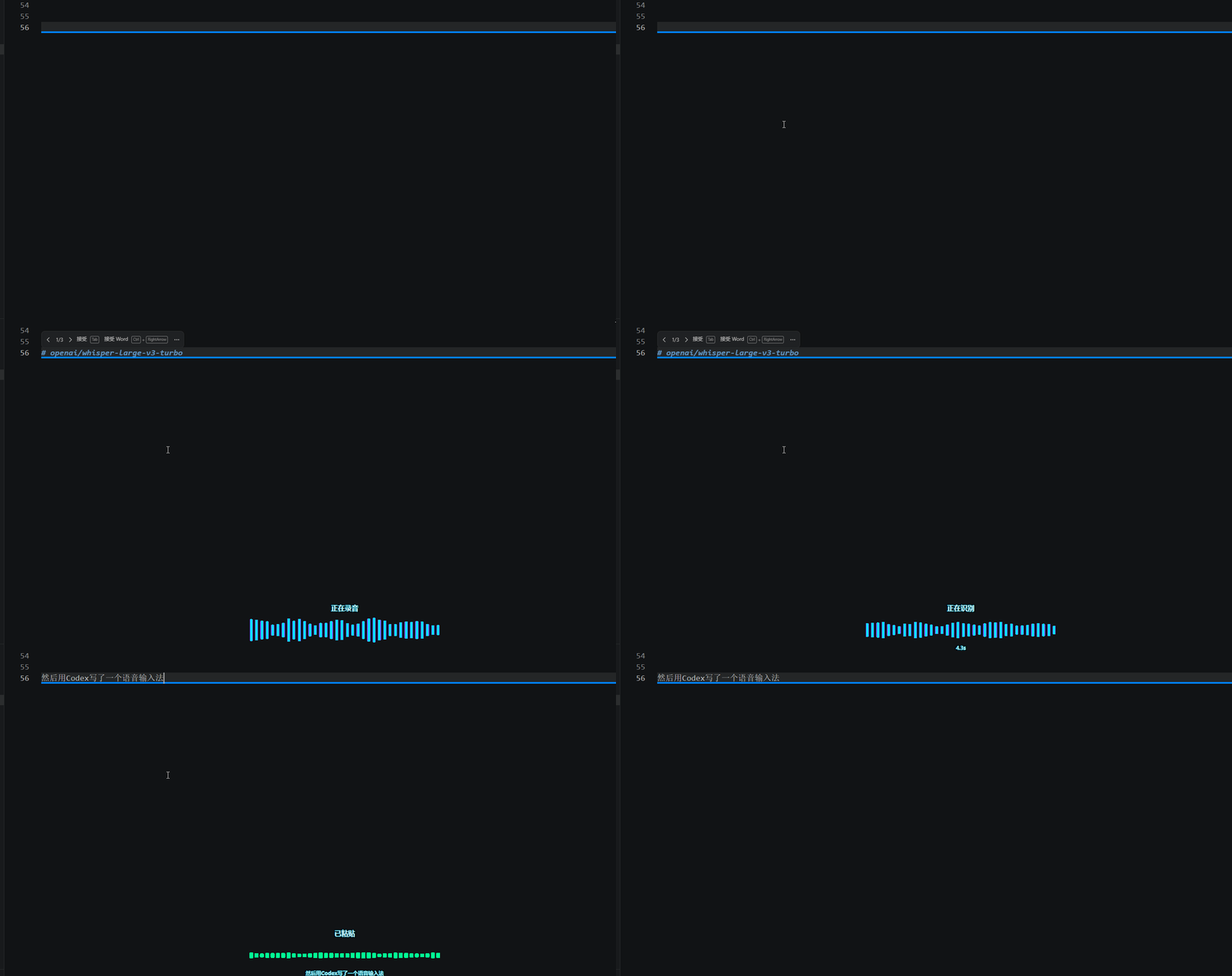
然后用Codex写了一个语音输入法,我的prompt跟上面的差不多,只不过是基于api,并且是非实时的,这个输入法可以用在windows和mac上,只不过需要api的调用,要花钱,但是其实费用非常低,轻度使用,一个月很难超过1块钱。
微信电脑版
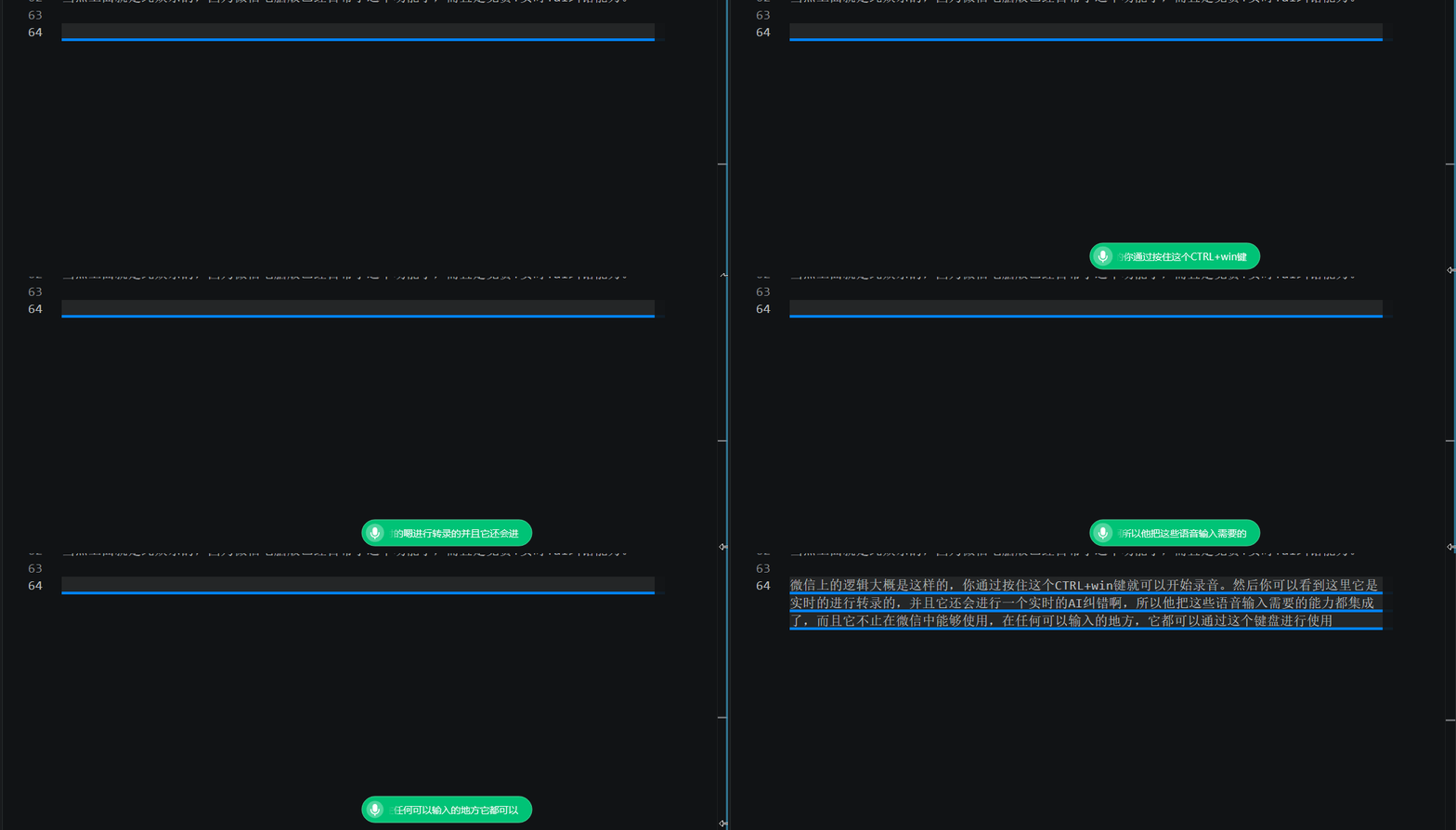
当然上面就是纯娱乐的,因为微信电脑版已经自带了这个功能了,而且是免费+实时+ai纠错能力。
微信上的逻辑大概是这样的,你通过按住这个CTRL+win键就可以开始录音。然后你可以看到这里它是实时的进行转录的,并且它还会进行一个实时的AI纠错啊,所以他把这些语音输入需要的能力都集成了,而且它不止在微信中能够使用,在任何可以输入的地方,它都可以通过这个键盘进行使用。